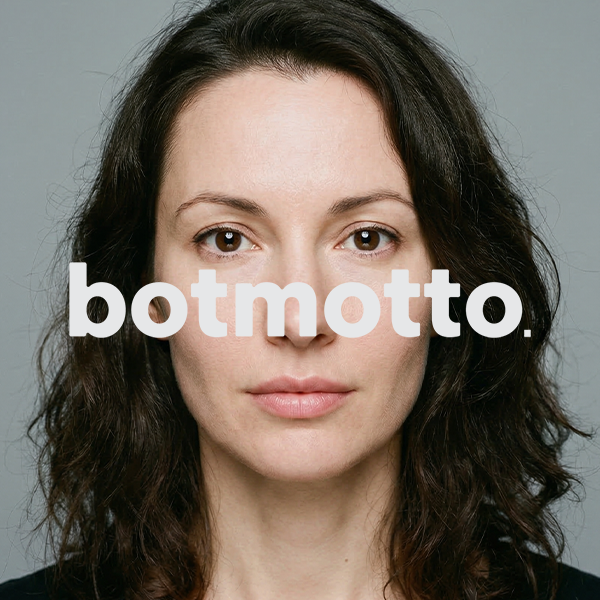
botmotto
A downloadable tool for Windows and macOS
Generate AI models by selecting options - no prompts needed.
Most AI image tools require you to write a text prompt describing the person you want to generate. But getting a good result isn't straightforward — it takes specific knowledge and technique to phrase things in a way the AI responds to. It's a skill in itself, and not an easy one.
botmotto removes that barrier. Instead of writing a prompt, you choose from 35+ settings — covering facial structure, skin, and hair — using dropdowns and sliders. The app takes your selections and builds an optimized prompt behind the scenes.
Choose your settings. Hit generate. That's all there is to it.
One-time purchase — no subscription required. Bring your own Gemini API key and you're ready to start.
Features
35+ Facial Settings
Bone structure (jaw, cheekbone, forehead, chin, nasal bridge, nose shape), skin (texture, blemishes, wrinkles, pores, condition, tone), hair (type, density, length, texture, highlights, root color, parting), plus age, ethnicity, body type, expression, and clothing.
All operated through dropdowns and sliders. The app also prevents conflicting settings automatically — for example, selecting "Slim" body type disables "Round" face shape, and selecting a young age disables "Mature" skin. Just choose intuitively, and the result is always a natural, consistent appearance.
13 Ethnicity Defaults
Even if you skip the detailed settings and leave everything at default, the result won't be a generic, one-size-fits-all face. The system applies ethnicity-specific values — face shapes, nose profiles, eye structures, and skin tones that reflect each of 13 ethnic backgrounds — so the base model looks natural from the start.
Reference Photo Modes
Extract: Upload a reference photo of someone whose look you want to capture. The AI analyzes the face and generates a new model that recreates the atmosphere and feel of the original — not an exact copy, but someone with a similar presence.
Clone: Upload a photo of a real person — yourself, a team member, a company model — and generate an AI clone of that person. Use the result as input for AI video tools, avatars, marketing materials, and more.
Studio Mode
Lock a model you like as an anchor, then generate variations of the same person from different angles. Seven camera angles are available: front, 3/4, side, high, low, close-up, and full body — each with 7 expression presets. Generate a character sheet (a 7-panel reference image) or export all images as a ZIP.
Use the outputs as multi-angle assets for AI video tools, or as training data for LoRA fine-tuning to build a consistent character across other platforms.
Two Generation Models
Switch between two models from a dropdown, depending on your needs and budget.
Nano Banana 2 delivers comparable quality at a lower cost per image.
Bilingual Interface
The entire interface is available in both English and Japanese. Switch languages with one click at any time.
How It Works
Standard Mode
The basic workflow for building a model from scratch.
- Set demographics — select age, gender, ethnicity, body type, height, and outfit.
- Confirm basics — tap the confirm button to lock in your selections. This unlocks the detailed settings below.
- Set details (optional) — adjust facial structure, skin, and hair using dropdowns and sliders. Each section has a Random button that auto-fills settings based on the selected ethnicity — so you can skip the details entirely and still get a natural-looking result.
- Build prompt — tap "DNA Synthesize." The app converts your settings into an optimized prompt automatically.
- Generate — tap "Generate Photo" and the image appears.
Extract Mode
Carry over the atmosphere of a reference photo into a new generation.
- Upload a reference photo — someone whose look you want to capture.
- Analyze — tap "Analyze & Set Parameters." The AI reads the face and fills in the settings automatically.
- Confirm basics — review the auto-filled age, gender, ethnicity, and body type, then confirm.
- Adjust if needed — detailed settings (face, skin, hair) unlock after confirmation. Change anything you want.
- Generate — the app builds the prompt and generates the image.
Clone Mode
Generate an accurate AI clone of a real person.
- Upload a photo of the person you want to clone.
- Switch to Clone — tap the Clone tab. Analysis starts automatically.
- Generate — to preserve the original person's appearance, all manual settings are locked. The app handles everything. The result is an AI reproduction ready for use in other tools.
Studio Mode
Lock your generated model to create multi-angle and facial expression variations of the exact same character.
- Generate an Anchor Model: Use any mode (Normal, Extract, or Clone) to generate a base model you like.
- Lock the Anchor: Tap "Anchor Lock". A confirmation dialog will appear; once confirmed, the image is fixed as your reference anchor. Note: This action cannot be undone. The settings and prompt panels will hide, and the interface will switch to Studio Mode.
- Select Expression & Angles: Choose your preferred expression from the 7 presets (Neutral, Soft Smile, Big Smile, Confident, Concerned, Melancholic, Surprised). For camera angles (Front, 3/4, Side, High, Low, Close-up, Full Body), you can choose to generate just one, or select multiple angles to generate them.
- Generate Variations: Tap "Generate Variations". The selected angles will generate sequentially. You can monitor the progress on-screen and cancel the process at any time.
- Generate Character Sheet (Optional): Tap "Character Sheet" in the action menu to generate a single reference image. The sheet consists of 7 panels: the top row features 4 body views (Front, Right Profile, Left Profile, Back), and the bottom row features 3 headshots (Front, Right Angle, Left Angle). The app aims to keep the character and lighting consistent across all panels, but due to the nature of AI, you may notice slight variations in the details. (Note: While the top row aims for full-body shots, they may occasionally render as bust-up shots.)
- View & Save: The generated images will appear as thumbnails alongside your anchor image. Use the arrows to switch between them. Hover over an image to save it individually, or click "Save ZIP" to download the entire batch at once.
To Create a New Character: Scroll to the bottom of the control panel and tap "Create New Anchor". This will reset everything and return you to the main screen. (Note: This is the only way to unlock the current anchor.)
Use Cases
Creating AI characters without prompt knowledge. You want photorealistic AI-generated people but don't know how to write prompts. With this tool, you just pick options from the screen and generate high-quality models — no text input needed.
Starting point for AI video and avatar tools. AI video generators like HeyGen, Kling, and Runway accept reference images as input. This tool lets you quickly prepare a model that fits your video concept, with intuitive controls.
Product and content visuals. Generate natural-looking faces with specific characteristics for e-commerce product pages, social media content, and ad creatives — elevating your brand's visual quality.
Creating a visual identity without showing your face. Generate an original AI model to serve as the dedicated face of your brand for social media, content creation, and ongoing communication with a consistent visual identity.
Understanding the AI Process
- Every output is unique: AI generation is dynamic by design. Results might occasionally differ from your exact expectations—this is simply how modern AI models work. So, even with the same settings, you'll discover a brand new character with every generation.
- Quality takes time: botmotto might feel a bit slower than simple one-click generators. That's because it's doing the heavy lifting behind the scenes—crafting a highly detailed, optimized prompt to give you the most photorealistic results possible. For context, a full 7-angle set in Studio Mode usually takes about 1 to 2 minutes to complete.
System Requirements & Privacy
System Requirements:
- Platforms: Windows 10/11, macOS (Intel & Apple Silicon)
- Languages: English / Japanese
- Required: Your own Google Gemini API key
Privacy & Security: botmotto is designed with user privacy as a top priority.
- Fully local operation: No user registration or account creation required. All settings are stored entirely on your own computer.
- No data collection: The app communicates only with Google's Gemini API to generate images. No telemetry, no usage tracking, no data sent anywhere else.
Purchase
In order to download this tool you must purchase it at or above the minimum price of $19.99 USD. You will get access to the following files:
Download demo
Leave a comment
Log in with itch.io to leave a comment.